If you run a small business, you’ve probably heard the buzz: AI agents are transforming how companies operate. They handle customer inquiries at 3 a.m., automate invoice follow-ups, schedule appointments without human intervention, and crunch data faster than any team of analysts could.
But here’s the reality most articles skip over — deploying AI agents as a small business is genuinely hard. You’re not Google. You don’t have a dedicated ML team, a six-figure cloud budget, or months to experiment. You have a lean operation, limited time, and real customers depending on you.
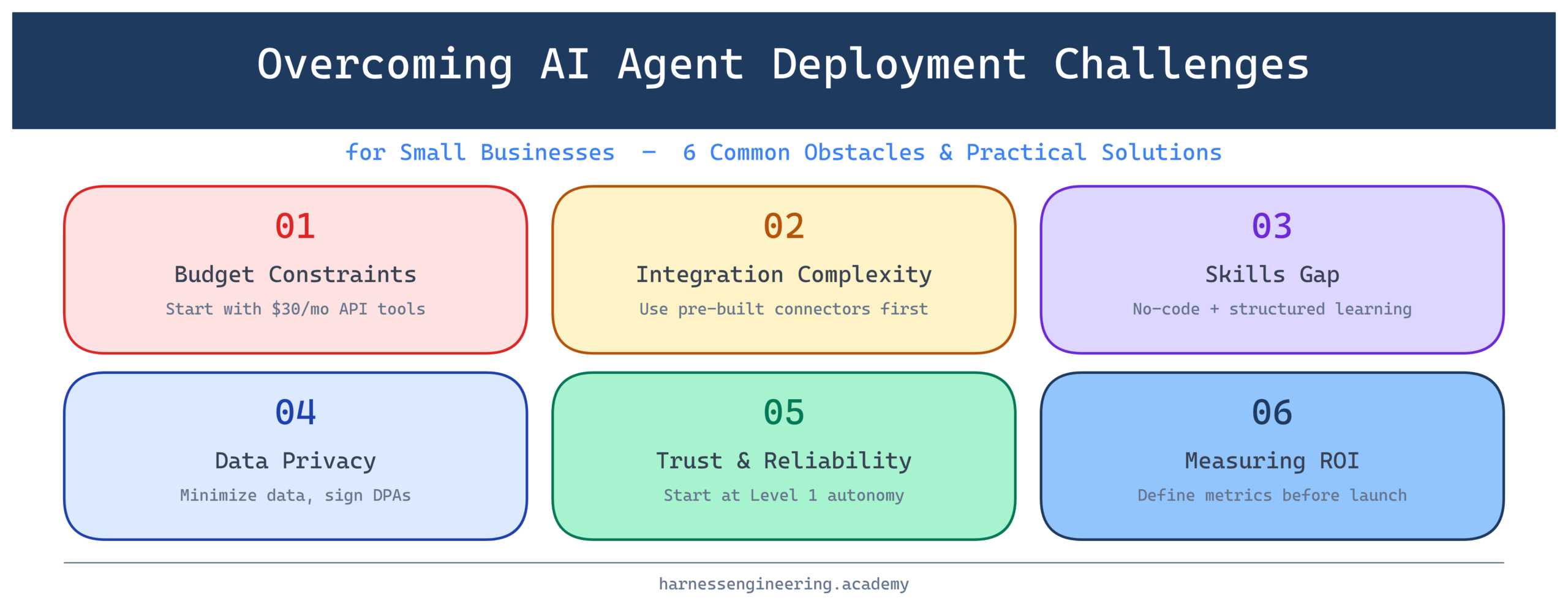
The good news? Every challenge in AI agent deployment has a practical workaround. This guide walks you through the most common obstacles small businesses face and, more importantly, shows you exactly how to overcome them — step by step.
Why Small Businesses Face Unique AI Agent Challenges
Before we dive into solutions, it helps to understand why small business AI deployment is structurally different from enterprise rollouts.
Large companies have dedicated AI teams, established data pipelines, and the budget to absorb failed experiments. Small businesses operate with tight margins and little tolerance for wasted investment. A poorly deployed AI agent doesn’t just cost money — it can frustrate loyal customers or break workflows that took years to build.
That said, small businesses also have real advantages: faster decision-making, less bureaucratic resistance to change, and a closer relationship with customers that makes it easier to measure what’s actually working. The key is deploying strategically, not ambitiously.
Challenge 1: Budget Constraints — Getting AI Without Breaking the Bank
The Problem
Most small business owners assume that enterprise-grade AI is simply out of reach. And in some cases, they’re right — bespoke AI solutions built from scratch can run into tens of thousands of dollars before you see a single result.
But this framing misses where the market actually is in 2026. The landscape has shifted dramatically, and there are now genuinely affordable pathways into AI agent deployment.
The Solution: Start With API-First, No-Code Tools
Rather than building custom agents from scratch, start with platforms designed for non-engineers:
- n8n or Make (formerly Integromat): These workflow automation tools now support AI agent nodes. You can build an agent that reads emails, classifies them, and drafts responses — all without writing a line of code.
- Zapier Central: Zapier’s AI agent layer lets you connect your existing apps (Gmail, Shopify, QuickBooks) to intelligent, action-taking bots.
- OpenAI Assistants API: For businesses with a developer on staff or a freelancer on retainer, the Assistants API provides agent-like capabilities (tool use, memory, file reading) at pay-as-you-go pricing that scales to your usage.
Real-world example: A boutique e-commerce shop selling handmade ceramics in Portland used Make to connect their Shopify store to an OpenAI-powered assistant. The agent automatically responds to “Where’s my order?” emails by querying the shipping API and replying in the owner’s writing style. Total setup cost: roughly four hours of a freelance developer’s time and about $30/month in API costs.
Budget Rule of Thumb
Before spending anything, define one high-volume, repetitive task that costs you at least two hours per week. That’s your starting point. If an AI agent can handle it reliably, it pays for itself.
Challenge 2: Integration Complexity — Making AI Work With Your Existing Stack
The Problem
Most small businesses are running on a patchwork of tools: a CRM here, a spreadsheet there, a point-of-sale system that was “state of the art” in 2018. Plugging an AI agent into this environment can feel like installing a USB-C device into a machine with only USB-A ports.
The Solution: Prioritize Integration-Ready Platforms
When evaluating AI agent tools, ask one question first: Does it have a pre-built connector for the tools I already use?
The most integration-friendly AI platforms for small businesses include:
- Voiceflow: Purpose-built for conversational AI agents, with connectors to Zendesk, Intercom, and Slack.
- Botpress: Open-source agent framework with deep integration hooks for custom business logic.
- Relevance AI: Lets you build AI “tools” that connect to external APIs, databases, and webhooks without heavy engineering overhead.
Step-by-Step: Mapping Your Integration Points
- List your top five daily tools (e.g., Gmail, Shopify, Google Sheets, Slack, Calendly).
- Identify where data flows between them manually — those are your automation opportunities.
- Check if your chosen AI platform has a native connector for each tool.
- For gaps, look for a middleware layer (Zapier, Make, or a simple webhook endpoint).
Real-world example: A two-person accounting firm in Austin uses Relevance AI to connect their client intake form (Typeform) to their project management tool (ClickUp) and QuickBooks. The agent reads new form submissions, creates a ClickUp project, generates a client folder, and sends a templated welcome email — all automatically. It replaced a 45-minute manual onboarding process.
Challenge 3: The Skills Gap — Deploying AI Without a Tech Team
The Problem
You want to deploy an AI agent, but you’re a business owner, not a software engineer. Maybe you have one part-time developer, or maybe you rely entirely on non-technical staff. The gap between “I want an AI agent” and “I know how to build one” can feel enormous.
The Solution: Structured Learning + Low-Code Execution
Here’s the empowering truth: you don’t need to become a machine learning engineer to deploy effective AI agents. What you need is a working knowledge of three things:
- Prompt engineering — how to give AI models clear, effective instructions
- Workflow logic — how to map out the steps an agent should take
- API basics — how to connect services using pre-built connectors or simple HTTP calls
These are learnable skills, and platforms like Harness Engineering Academy are specifically designed to take you from zero to capable AI agent builder in a structured way.
Learning Roadmap for Non-Technical Business Owners
Week 1–2: Foundations
– Learn what AI agents are and how they differ from simple chatbots
– Understand the concept of tools, memory, and reasoning loops
– Practice writing effective system prompts
Week 3–4: First Deployment
– Choose a no-code platform (n8n, Make, or Voiceflow)
– Build your first agent for a single, well-defined task
– Test it with real (but low-stakes) input
Month 2: Iteration
– Review agent performance logs
– Refine prompts based on failure cases
– Gradually expand the agent’s scope
Real-world example: Maria runs a small yoga studio in Chicago. She had zero technical background but spent three weekends learning prompt engineering and n8n through structured tutorials. She deployed an agent that handles class booking inquiries via Instagram DMs, cross-references her scheduling system, and sends confirmation links. Her response time went from “whenever I check my phone” to under 90 seconds, around the clock.
Ready to close your skills gap? The Harness Engineering Academy’s AI Agent Foundations course walks you through everything from basic concepts to your first live deployment — with no coding experience required.
Challenge 4: Data Privacy and Compliance — Handling Customer Information Responsibly
The Problem
AI agents often need access to sensitive data: customer names, purchase history, email content, financial records. For small businesses, this raises serious questions. What data is the AI seeing? Where is it stored? Are you compliant with GDPR, CCPA, or industry-specific regulations?
This is the challenge most tutorials gloss over, and it’s the one that can cause the most damage if ignored.
The Solution: Data Minimization and Clear Boundaries
You don’t need a legal team to handle this responsibly. You need a clear policy and the right architectural choices.
Key principles for privacy-safe AI agent deployment:
-
Data minimization: Give the agent access only to the data it needs. If an agent handles appointment scheduling, it doesn’t need access to payment history.
-
Use privacy-respecting AI providers: Many providers (Anthropic, Mistral, Cohere) offer data processing agreements (DPAs) that ensure your data isn’t used for model training. Read and sign these before going live.
-
Anonymize where possible: If your agent needs to process customer records for analysis, strip personally identifiable information (PII) before passing it to the model.
-
Audit your data flows: Draw a simple diagram of what data enters the agent, what the AI provider receives, and what gets logged. Share this with a privacy-focused lawyer for a quick review.
-
Inform your customers: Update your privacy policy to reflect that you use AI-powered tools for customer service or operations.
Real-world example: A small HR consulting firm uses an AI agent to help draft employment policy documents. Rather than feeding the AI real employee data, they use anonymized templates. The agent never sees actual names, salaries, or HR records — just the document structure and general policy parameters.
Challenge 5: Trust and Reliability — What Happens When the Agent Gets It Wrong?
The Problem
AI agents make mistakes. They misinterpret instructions, hallucinate information, or take actions that weren’t intended. For a large enterprise, a bad AI response is an incident report. For a small business, it might be a lost customer or a regulatory headache.
The Solution: Human-in-the-Loop Design
The answer isn’t to avoid AI — it’s to design your agent deployment with appropriate human oversight baked in from the start.
The Trust Ladder: Four Levels of Agent Autonomy
Think of AI agent trust as a ladder you climb gradually:
Level 1 — Draft and Review: The agent drafts responses or actions; a human approves before anything is sent or executed. Lowest risk, highest oversight.
Level 2 — Notify and Execute: The agent acts automatically but notifies a human immediately. The human can intervene within a short window.
Level 3 — Act and Log: The agent acts and logs everything for periodic human review (daily or weekly).
Level 4 — Full Autonomy: The agent operates independently, with exception alerts only when confidence is low or anomalies are detected.
Start at Level 1. Move up the ladder only after you’ve observed the agent performing reliably across hundreds of real interactions.
Real-world example: A specialty coffee roaster in Seattle uses an AI agent for wholesale order management. They started at Level 1 — the agent drafted order confirmations and their operations manager approved each one. After 60 days and 200+ orders without a single error, they moved to Level 2, where the agent sends automatically but the manager gets a Slack notification for each order. Level 3 is next.
Challenge 6: Measuring ROI — Knowing Whether It’s Actually Working
The Problem
You’ve deployed an agent. Now what? Many small business owners struggle to connect AI activity to business outcomes. Without clear metrics, it’s impossible to know whether your AI investment is paying off — or quietly costing you.
The Solution: Define Metrics Before You Deploy
Before launching any AI agent, establish three numbers:
- Baseline metric: How long does the task currently take? How many errors occur? What does it cost?
- Success threshold: What improvement would make this deployment worthwhile?
- Review cadence: When will you evaluate performance? (Weekly for the first month, monthly after that.)
Common metrics for small business AI agents:
| Use Case | Baseline Metric | Success Metric |
|---|---|---|
| Customer support agent | Average response time | Response time < 2 minutes |
| Invoice follow-up agent | % of invoices paid on time | 15%+ improvement in on-time payment |
| Lead qualification agent | Time from inquiry to first call | Reduction from 48 hrs to 4 hrs |
| Content drafting agent | Time to produce first draft | 60%+ reduction in writing time |
Real-world example: A small legal services firm tracked three months of manual client intake time (average: 4.2 hours per new client). After deploying an AI intake agent, the time dropped to 1.1 hours per client — a 74% reduction. At their billing rate, that freed up revenue-generating hours worth approximately $8,000 per month.
Building Your AI Agent Deployment Roadmap
Now that you understand the challenges and solutions, here’s a practical six-week roadmap to get your first AI agent live:
Week 1: Identify your highest-value automation opportunity (look for tasks that are repetitive, high-volume, and rule-based).
Week 2: Choose your platform based on your integration needs and technical comfort level. Set up accounts and explore documentation.
Week 3: Build a prototype in a sandbox environment. Don’t connect it to live systems yet.
Week 4: Test with synthetic data (made-up customer names, fictional orders). Identify failure modes.
Week 5: Soft launch with Level 1 autonomy. Real inputs, human approval for every output.
Week 6: Review logs, refine prompts, move to Level 2 if performance warrants it.
This isn’t a race. The businesses that get the most from AI agents are the ones that deploy carefully, learn continuously, and expand thoughtfully.
Your Next Step: Build the Skills to Deploy with Confidence
The single biggest accelerator for small business AI adoption isn’t a better tool — it’s a better-educated operator. Understanding how AI agents think, where they break, and how to design them for your specific context is what separates a successful deployment from a frustrating experiment.
At Harness Engineering Academy, we’ve designed our curriculum specifically for people who want to deploy AI agents in real business environments — not just pass a certification exam. Whether you’re a business owner looking to automate your operations, a career changer breaking into AI engineering, or a developer adding agent skills to your toolkit, our step-by-step courses meet you where you are.
Start your AI agent journey today. Visit harnessengineering.academy to explore our free introductory modules on AI agent fundamentals — no prior technical experience required.
Final Thoughts
Deploying AI agents as a small business is genuinely challenging. Budget constraints, integration complexity, skill gaps, data privacy concerns, reliability questions, and murky ROI metrics are all real obstacles. But they are all surmountable — not with unlimited resources, but with the right knowledge, a strategic approach, and a willingness to start small and iterate.
The small businesses winning with AI right now aren’t the ones who deployed the most ambitious agents. They’re the ones who solved one specific problem extremely well, measured the results honestly, and used that success as a foundation to do more.
Your first AI agent doesn’t need to be impressive. It needs to be useful. Start there, and everything else becomes possible.
Jamie Park is an educator and career coach at Harness Engineering Academy, specializing in making AI agent engineering accessible to beginners and career changers. Follow along for weekly tutorials, real-world deployment case studies, and career guidance for the AI-powered economy.